Create and revoke API keys
To use the Urlicer API you need an API key. A key belongs to one workspace, and the links it creates go into that workspace.
The workspace owner and Admins can manage keys. Open Developers in the app menu (the page is at /app/<workspace>/api-keys), give the key a name you'll recognize, and create it.
The full key is shown once, right after you create it. Copy it and store it somewhere safe. After that the page shows only the start of the key, so if you lose it, create a new key and revoke the old one.
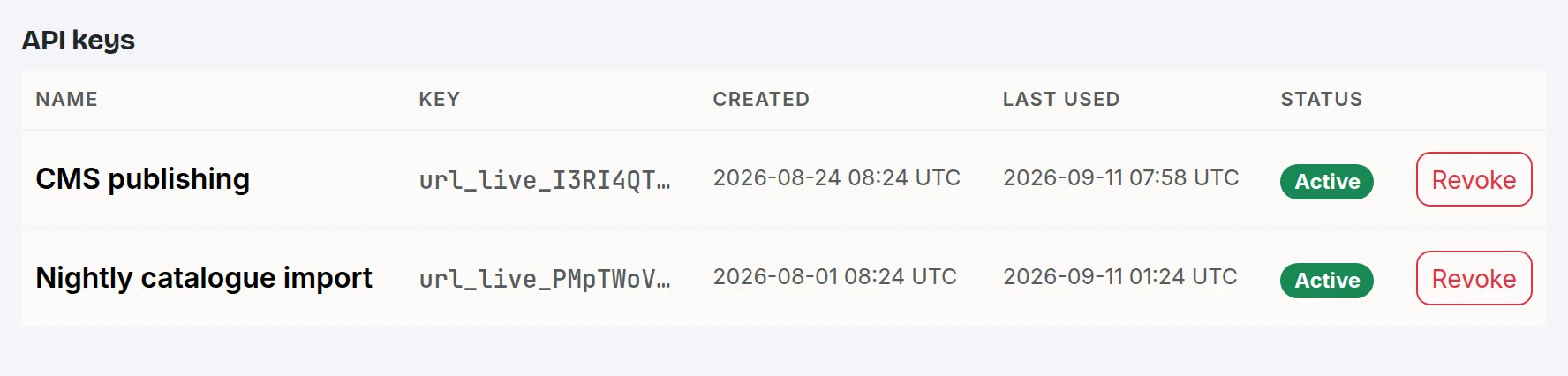
Send the key in an Authorization: Bearer <key> header with each request. The API reference has the details and examples.
How many keys a workspace can have depends on the plan: 1 on Free, 3 on Pro, 10 on Team and 25 on Business. Each key has its own rate limit of 30, 120, 600 or 3,000 requests per minute on those plans. See API errors and rate limits.
To revoke a key, click Revoke next to it. It stops working immediately, so make sure nothing still depends on it. Revoking a key frees a slot for a new one.
The Last used column is updated periodically, so it can lag behind your most recent requests.
Still need a hand?
Contact support