QR codes you can still change after they're printed
A dynamic QR code holds a short link, and you can change where that link goes at any time, on every plan. The printed code stays the same, so a new menu, a moved page or a new campaign doesn't mean a reprint.
- A QR code for every link, with no monthly allowance
- A scan goes straight to your page, with no ad in between
- Links don't expire unless you set a date
Change it after printing
Edit the link's destination and every printed copy of the code goes to the new page. This is on the free plan too.
Made to be printed
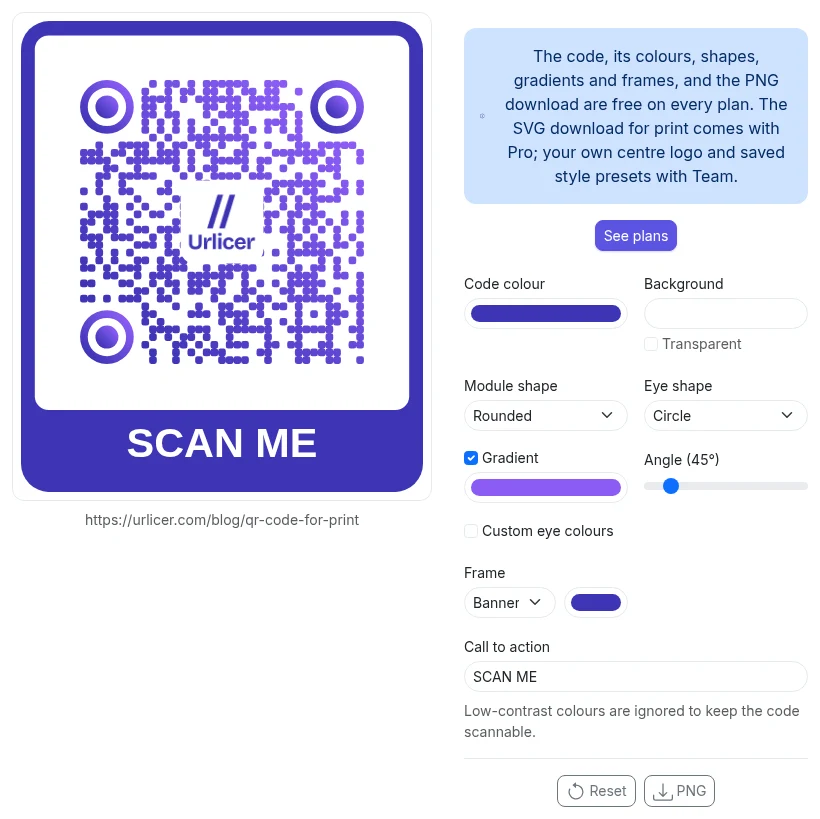
Colours, gradients, dot and corner shapes and a frame with your own text on every plan, as a PNG. Pro adds SVG, which stays sharp at any size. Team adds a logo in the centre and saved styles.
Scans counted apart from clicks
Analytics show QR scans and direct clicks separately, so a poster can be compared with the same link shared online.
Will the code still work in five years?
We are a new service, so we can't point at a long record. This is what is written down.
- No expiry. A link in a workspace has no end date unless you give it one. Nothing switches it off after a quiet period or a plan change.
- Scans keep working past the analytics limit. Plans limit how many clicks are tracked each month. Redirects themselves are not limited.
- Your own domain keeps the exit yours. A code on a domain you own can be answered by someone else after a DNS change. For anything on paper, that is the setup we recommend. Custom domains start on Pro.
- If Urlicer ever closes, you get at least 180 days' notice by email, export stays open on every plan, and links on our shared domain keep redirecting for at least a year after the closing date. This is in section 12 of the terms.
The full version is on what happens to your links.
How Bitly handles the same things
Bitly gives two QR codes a month on its free plan, five on Core and ten on Growth. Changing where a link goes is a paid feature there. Checked on their pricing page and inside Bitly on 23 September 2026.
Frequently asked questions
Is there a limit on QR codes or scans?
Which file should I send to the printer?
What stops a printed code from working?
Can one code open different pages for different people?
Does the person scanning see an ad or a cookie banner?
Can I put the code on my own domain later?
Print it once
Start free, and change where the code goes whenever you need to.
Start free See pricing