Start, end and limit a link
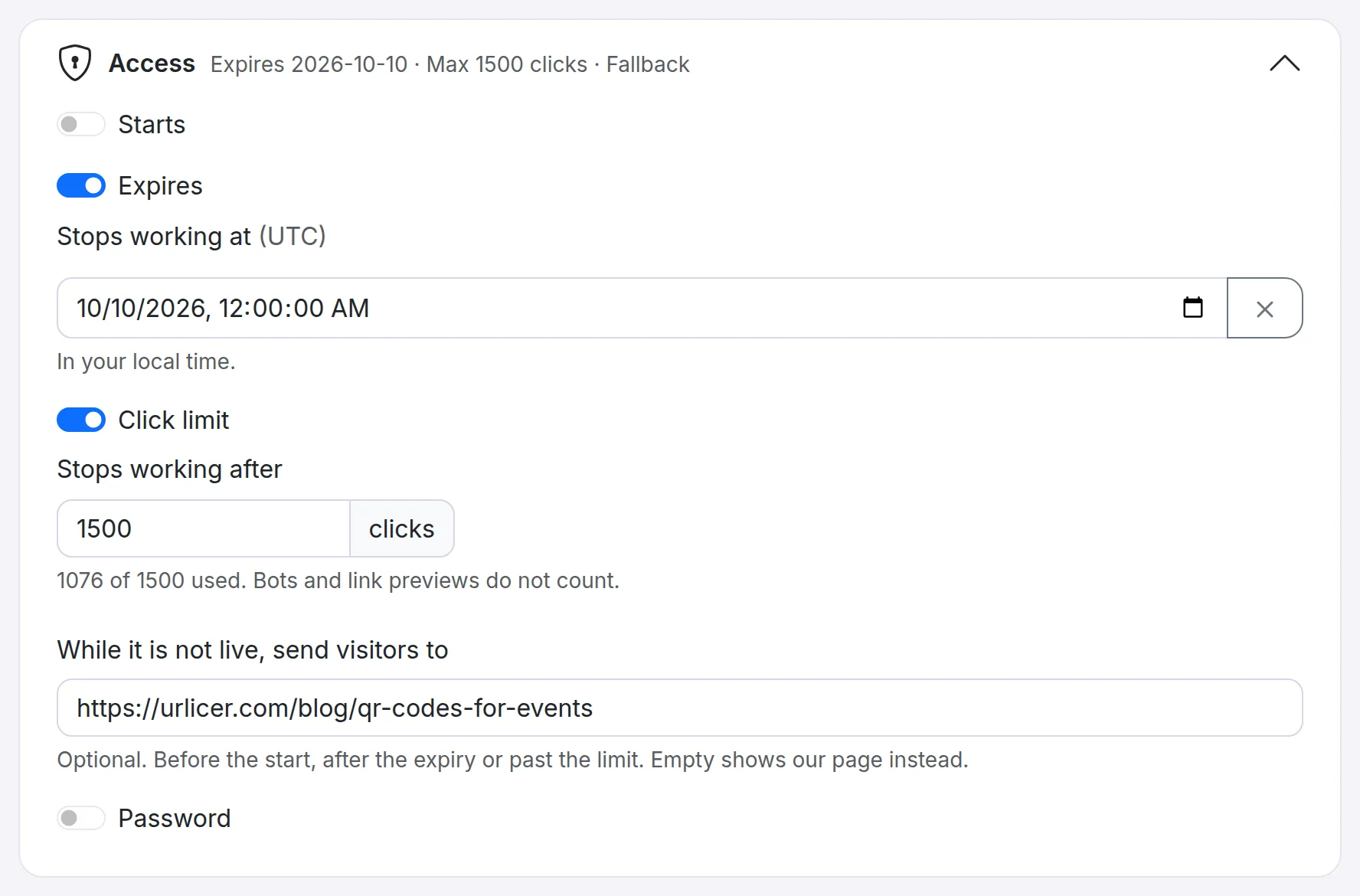
Some links are only meant to be live for a while: a sale with an end date, a launch that goes live on a set day, an offer for the first hundred people. Open the link, then the Access card, and switch on what you need.
Start
Switch on Starts and choose a date and time. Before then, anyone who follows the link sees a page saying it is not live yet. The QR code works from the start, so you can print it before the launch.
Expiry
Switch on Expires and choose a date and time. After then, visitors see a page saying the link has expired instead of reaching your destination. Switch it off at any time to make the link permanent again.
Click limit
Switch on Click limit and enter a number. The link stops working once it has had that many clicks, counted from when it was created; the field shows how many are used. Clicks from people count; bots and link previews in chat apps do not. Past the limit, visitors see a page saying the link has reached its limit.
Raise the limit or switch it off to open the link again. A limit at or below the clicks so far stops the link as soon as you save.
Where visitors go instead
With a start, an expiry or a limit set, you can fill in While it is not live, send visitors to: a page of yours, such as "this offer has ended", instead of ours. Leave it empty to show our page.
Visits before the start, after the expiry or past the limit are not counted in your analytics. A link you switch off with Active is different: it always shows a page saying the link is no longer active, and the fallback does not apply.
Time zones and plans
Dates and times are shown in your local time zone and stored in UTC, so the link starts and ends at the same moment for everyone.
Links in a workspace never expire unless you set a date. Links made on the homepage without an account expire after 30 days, unless you keep them in a workspace.
Expiry, start dates, click limits and the fallback page are included in the Pro plan and above. With the API, send expiresOn, startsOn, maxClicks and fallbackUrl.
Still need a hand?
Contact support