A/B test your links: split-test landing pages with one short URL
A/B testing usually means two versions of a page and a tool to split traffic. Link rotation gives you the same thing at the link level: one short link that sends visitors to different destinations, so you can see which lands better, without changing the link you already shared.
How link rotation works
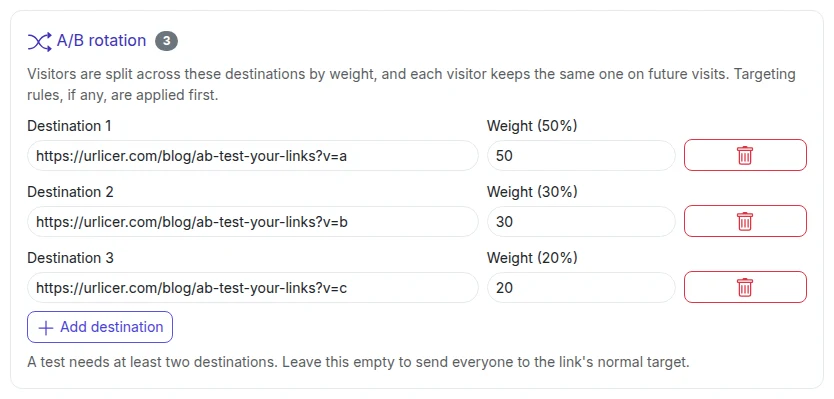
You attach between two and ten destinations to a single short link, each with a weight from 1 to 1000 (say 50/50, or 70/30). When someone clicks, the link picks a destination by weight and sends them there. A cookie set for that link keeps a returning visitor on the same destination for 30 days, so they don't see a different page on every visit.
What to test
- Two landing pages for the same campaign.
- Two offers: "20% off" vs "free shipping".
- Two page layouts or headlines.
How to measure the winner
Urlicer records which variant each click was served, so the link's analytics show clicks and unique visitors for each variant. Unique visitors are counted per day. But remember what that measures: the split of clicks, not conversions. Conversions happen on the destination page, so add a distinct utm_content to each variant's URL, and then your own analytics can tell you which one converted.
When to use it
Use it when the link is fixed but the destination isn't: a link printed in an ad, shared in a bio, or embedded somewhere you can't easily change. A/B testing is on the Team plan and up; see pricing.
A/B testing is on the Team plan and up. Compare the plans, or start with a free account and upgrade when you need it.