Understand your link analytics
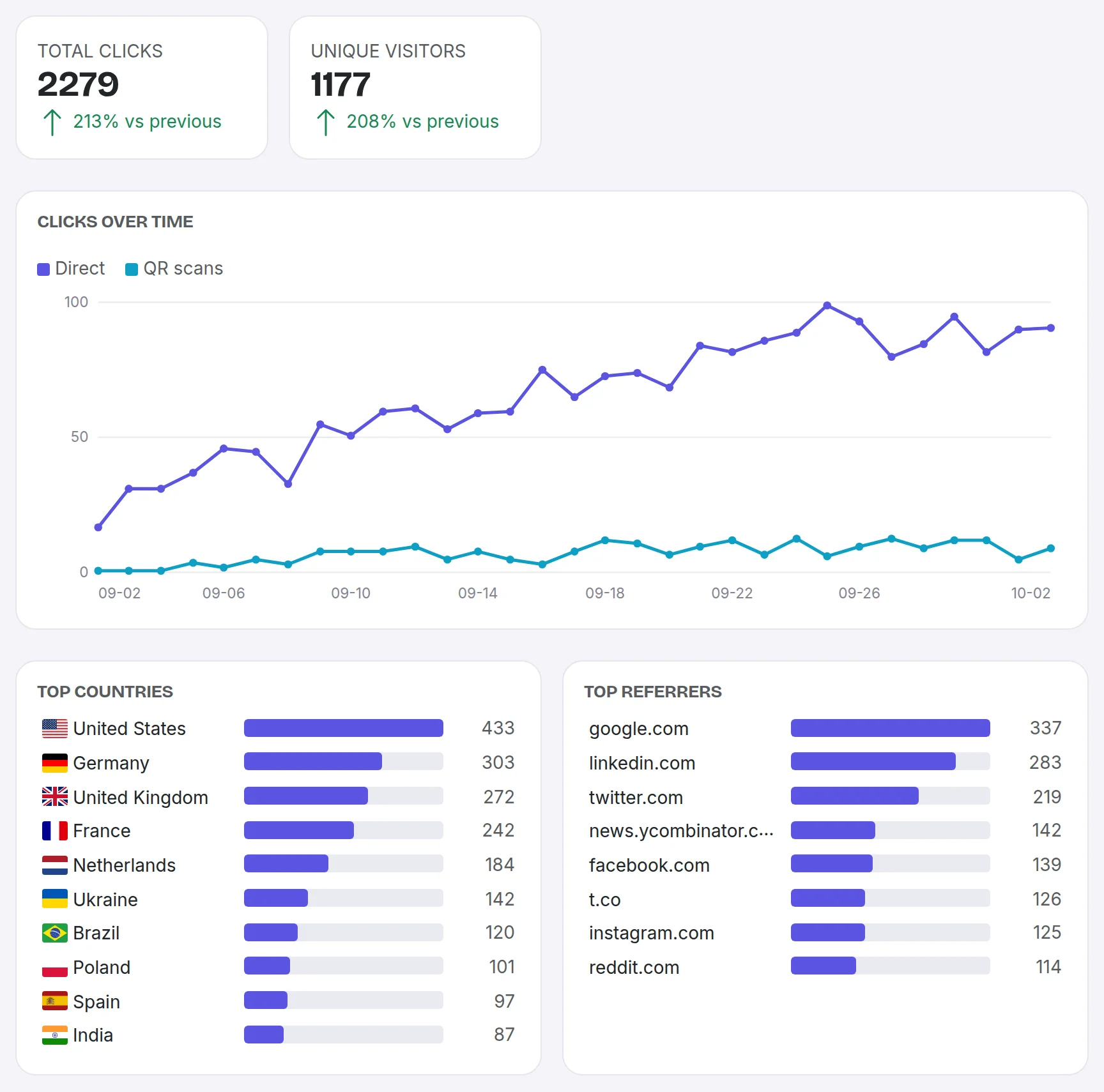
Clicks on your short links are recorded so you can see how each link is used. Open a link's analytics to see:
- Total clicks and how they trend over a date range you choose.
- Unique visitors: each device and browser counts once per day, so the same person on a phone and a laptop counts twice.
- Where clicks come from: countries, referrers, devices, browsers and operating systems. Location is recorded at country level only.
- How people arrived: a QR scan or a direct click (see traffic sources).
Automated visits are not counted: the link previews Facebook, WhatsApp or Slack fetch when a link is posted, search engine crawlers, and scripts. They are left out of clicks and visitors and don't use up your monthly tracked clicks. The dashboard shows how many there were, next to the date range.
Your workspace also has a team dashboard that rolls up activity across all of its links.
On the Pro plan and above, Export data on either page downloads the clicks behind the report as a file. See export your links and click data.
Click history is kept for 30 days on Free, 90 days on Pro, 365 days on Team and 730 days on Business. Older clicks are deleted.
Each plan also sets how many clicks are tracked per month in a workspace: 25,000 on Free, 250,000 on Pro and 2.5 million on Team, with no cap on Business. Once a workspace passes its cap, its links keep redirecting, but further clicks that month are not recorded.
Analytics don't use cookies, and visitors' IP addresses are hashed and never stored. See privacy and cookies.
Still need a hand?
Contact support