Export your links to CSV
On the Pro plan and above you can download the links in a workspace as a CSV or JSON Lines file, to keep a copy or work with them in a spreadsheet. Anyone in the workspace can export, Viewers included.
Open Short URLs and click Export. The export holds exactly what the page is showing: if you are inside a folder, that folder and its subfolders, and if you have typed a search, only the links that match it. From the top of the list it holds every link in the workspace. Choose CSV or JSON Lines and click Start export.
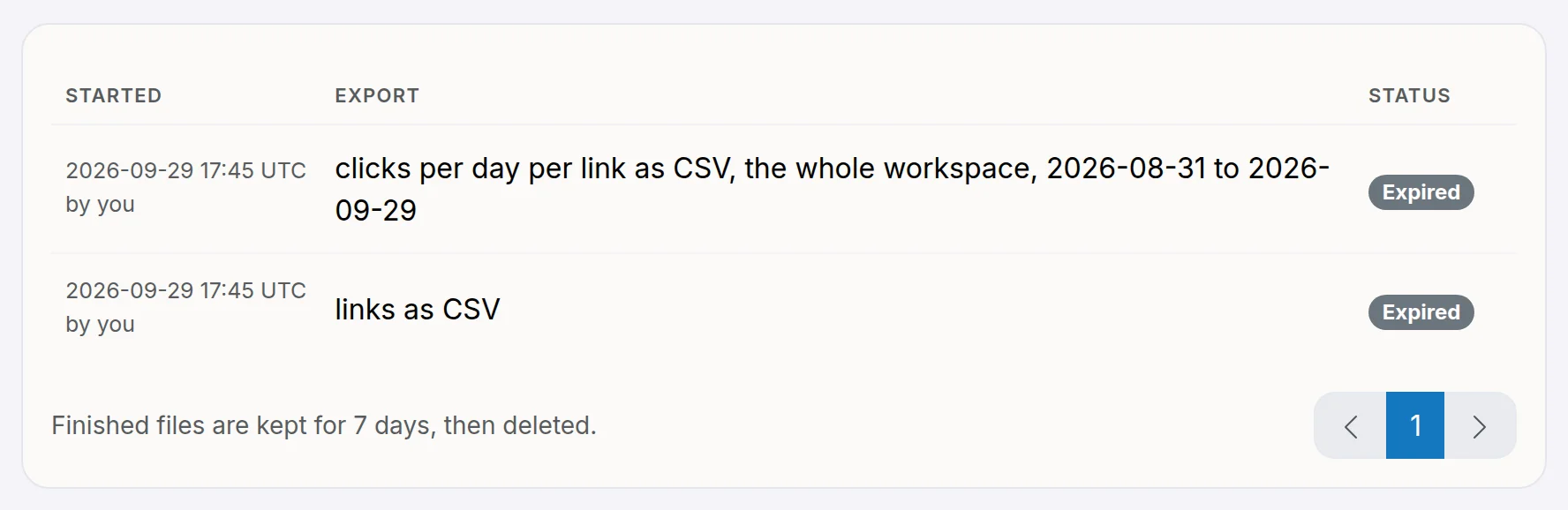
The file is prepared in the background. When it is ready you get an email, and the file is on the Exports page in the workspace menu, with a Download button. Anyone in the workspace can download it there for 7 days, after which it is deleted. A workspace has one export in preparation at a time. A folder export is named after the folder, so several exports do not land on top of each other.
The download is compressed: .csv.gz or .jsonl.gz. macOS and Windows 11 (version 23H2 or later) unpack it with a double-click; on older Windows use an archive tool such as 7-Zip.
The CSV has one row per link, with these columns:
- Id and Code: the link's number and its short code or alias.
- Name and Notes: what you called the link and any notes you kept with it. Both are empty if you never set them.
- Folder: the folder the link is filed in, from the top down, as Campaigns/Q4. Empty for a link in no folder.
- Short link: the full short URL, with the custom domain if the link uses one.
- Target URL: where the link sends visitors.
- Clicks: the link's click count.
- Active: yes or no.
- Created (UTC) and Expires (UTC): dates and times in UTC. Expires is empty for a link with no expiry.
- Domain: the domain of the short link, yours or the shared one.
- Created by and Last edited by: the member or API key, by name.
JSON Lines has one object per line with the same fields, plus what the CSV leaves out: the link's targeting rules, A/B variants, preview and app links, and whether it has a password (never the password itself). Use it to move to another tool, or as a complete backup.
Click data. On a link's analytics page or the workspace dashboard, Export data exports the clicks in the date range on screen: for that link, for the folder picked on the dashboard, or for the whole workspace. Choose what each row is: a day per link (clicks, unique visitors, QR scans and direct clicks), a day by dimension (country, referrer, device, browser, OS, ad platform and source, one row per value, ready for a pivot table) or one click (time, link, country, referrer, device, browser, OS, source and A/B variant). The file is CSV, JSON Lines or Parquet and is prepared in the background like a links export.
The filters on the page are not applied to the file. Automated visits are left out, as they are in the reports, and the file holds no IP address or visitor ID. A file of single clicks holds up to 10 million rows; for a longer period, choose a day per link.
To create links from a CSV file instead, see create links in bulk. For click details beyond the count, open a link's analytics.
Still need a hand?
Contact support