Create links in bulk
On the Pro plan and above you can create many links in one go. Open Short URLs and click Bulk create. There are two ways to add your URLs.
Paste: put one URL per line in the box.
Upload CSV: choose a CSV file whose first row holds column headers, then pick the column that holds the URL. You can also map columns for an alias, an expiry date and a password, so each link gets its own. Columns with headers such as "alias" or "expires" are matched for you, and a Bitly export is recognised as one: see move your links from Bitly.
Before you create the batch you can pick the domain the links use: the shared short domain or one of the workspace's verified custom domains. You can also set one expiration date for every link in the batch.
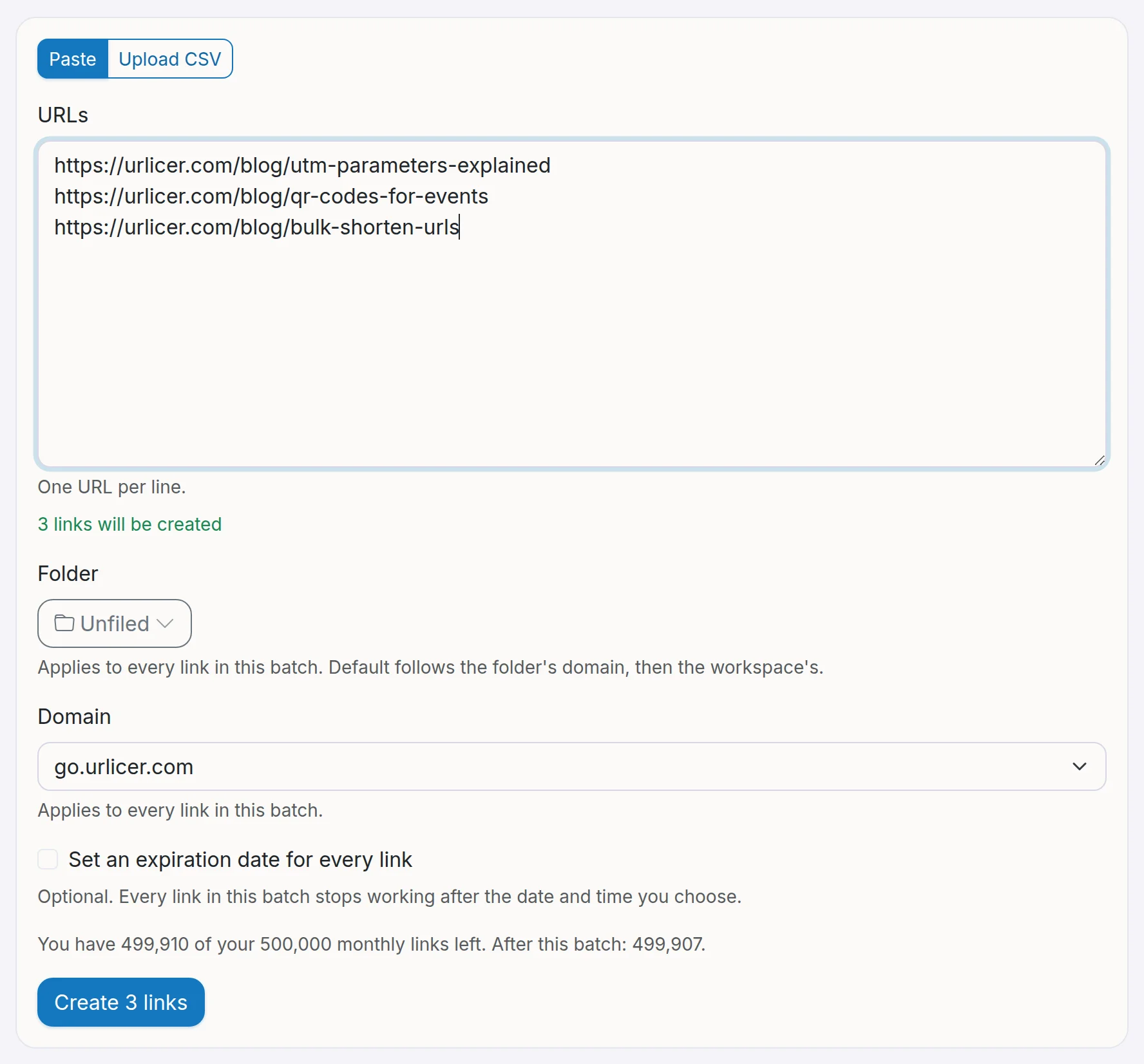
A batch can hold up to 10,000 links. Each link counts against the workspace's monthly link limit, and the page shows how many links you have left this month. If a batch needs more than that, you are told before anything is created, so you can remove some URLs or upgrade.
When the batch finishes, each row shows whether the link was created or why it failed, for example because an alias was already taken. You can copy all the new links or download the results as a CSV.
You can also create links in bulk through the API. See the bulk endpoint in the API reference.
Still need a hand?
Contact support