Can you share a Bitly account with your team?
A lot of small marketing teams run their short links from one Bitly login. Someone set it up years ago, the password lives in a shared vault or a pinned Slack message, and everyone uses it. It works until you need to know who made a particular link, or until someone leaves.
Does Bitly allow it?
No. Section 3.2 of Bitly's Terms of Service says: "You will not share access credentials or exceed the user limitations of the service tier you have purchased." The same section makes a company responsible for anything its staff do with the account.
The proper route is to add each person as a user. Bitly's help centre describes how, with three roles (user, group admin, account admin), and says the feature "is available with some paid plans". The pricing page is more specific. When we checked it on 16 September 2026, "Multiple users & group permission management" appeared only under Enterprise, which has no published price. Free, Core, Growth and Premium list no extra users.
So on Bitly, a team either talks to sales or has each person on a separate account.
What a shared login costs you
Nobody can tell who made a link. Every link in the list belongs to the same account, so when a campaign link points at the wrong page, you ask around in chat until someone remembers.
Offboarding means changing the password. Everyone who still needs access has to get the new one, and until you change it, the person who left can still sign in.
If the account uses two-factor sign-in, the codes go to one person's phone. When that person is on holiday, nobody else can log in.
Separate free accounts avoid some of this, but then the links are scattered across several accounts, and nobody sees the whole list.
Three ways out
- Bitly Enterprise. If you want to stay on Bitly, this is the plan the pricing page lists with multiple users. It has no published price, so it starts with a sales call.
- One Bitly account per person. This stays within the terms, but each person has a separate link list and separate analytics, and any paid features have to be bought for each account. Free accounts also put a consent request and an ad page in front of every link they make.
- A shortener with team workspaces. Some tools sell this below enterprise level. Urlicer is one of them, and the rest of this post shows how it works there.
How a team workspace works in Urlicer
A workspace holds the team's links, QR codes, custom domains and analytics. You invite people by email. The invitation is valid for seven days, and each person signs in with their own account.
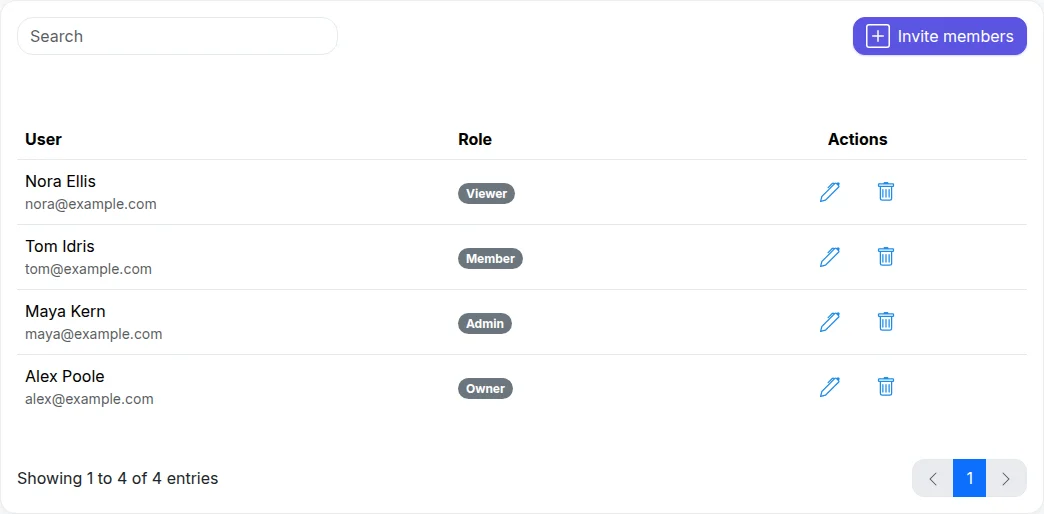
The members of a demo workspace. Each person signs in with their own address.
Everyone gets a role:
- Admin: manages members, links, custom domains, API keys and workspace settings.
- Member: creates and edits links, and sees analytics. Members cannot delete links.
- Viewer: read-only access to links and analytics.
The person who created the workspace is its owner, and only the owner can delete the workspace.
The link list shows who created each link, under its date. A link made through the API names the key instead of a person.
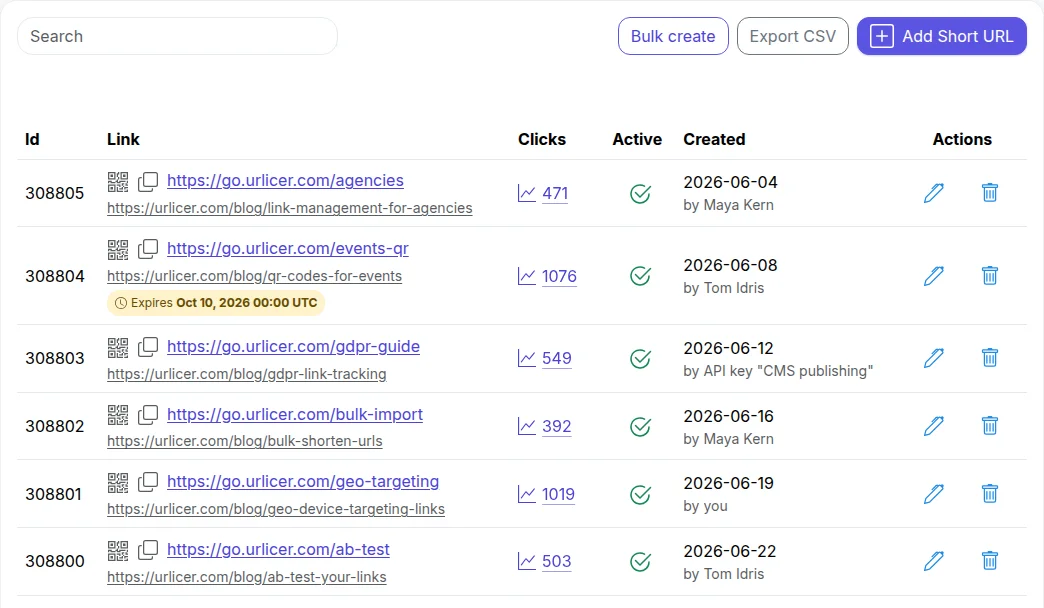
Links in a demo workspace, viewed by its owner, so the owner's own links read "by you".
Open a link, and you also see who edited it last.

When someone leaves, remove them from the workspace. Their links stay in the workspace and keep working, and the list marks them as made by a former member. Nobody else has to change a password.
On the Business plan you can also read the workspace's audit log, a record of changes to links, members, custom domains, API keys and billing, with who made each one and when.
Team workspaces are part of the paid plans, and the pricing page lists how many people each plan includes.
Moving your links over
You don't have to move everything at once. Links you have already printed or published keep pointing at bit.ly, so keep that account for as long as those links need to work.
For new campaigns, create the links in the shared workspace. If you have a spreadsheet of links to recreate, paid plans can bulk-create them from a CSV, and a Bitly export uploads as it is: how to export your links from Bitly. For a wider look at the options, see Bitly alternatives compared.
Want to try it with your team? Create a free account, and upgrade the workspace when you invite your first colleague.