Why does my Bitly link show an ad?
If you made a short link on Bitly's free plan and someone told you it opens an ad, they are describing a page Bitly calls a destination preview. Since February 2025, links and QR codes from free accounts may show it before the destination. This post shows what it is, who gets it, and what to do about it.
What Bitly says
Bitly's notice to free-plan customers, sent in February 2025, read: "Starting in February, your Bitly links and QR Codes may show a preview page before directing your audience to the destination URL. This page includes information about the link and may include advertising." The same notice gave the way out: "You can remove the preview page experience from your links and QR Codes at any time by selecting a paid Bitly plan." The free plan on Bitly's pricing page carries the label "With ads", and Bitly's help centre has an article titled "Why are there ads on my links?".
So this is not a bug, and it is not something you can switch off in settings. It is how the free plan is paid for.
What your visitor sees
We opened a link made on a Bitly account created on 23 September 2026, in a private browser window, from Ukraine. The first thing on screen was not the destination and not the ad. It was a consent dialog.
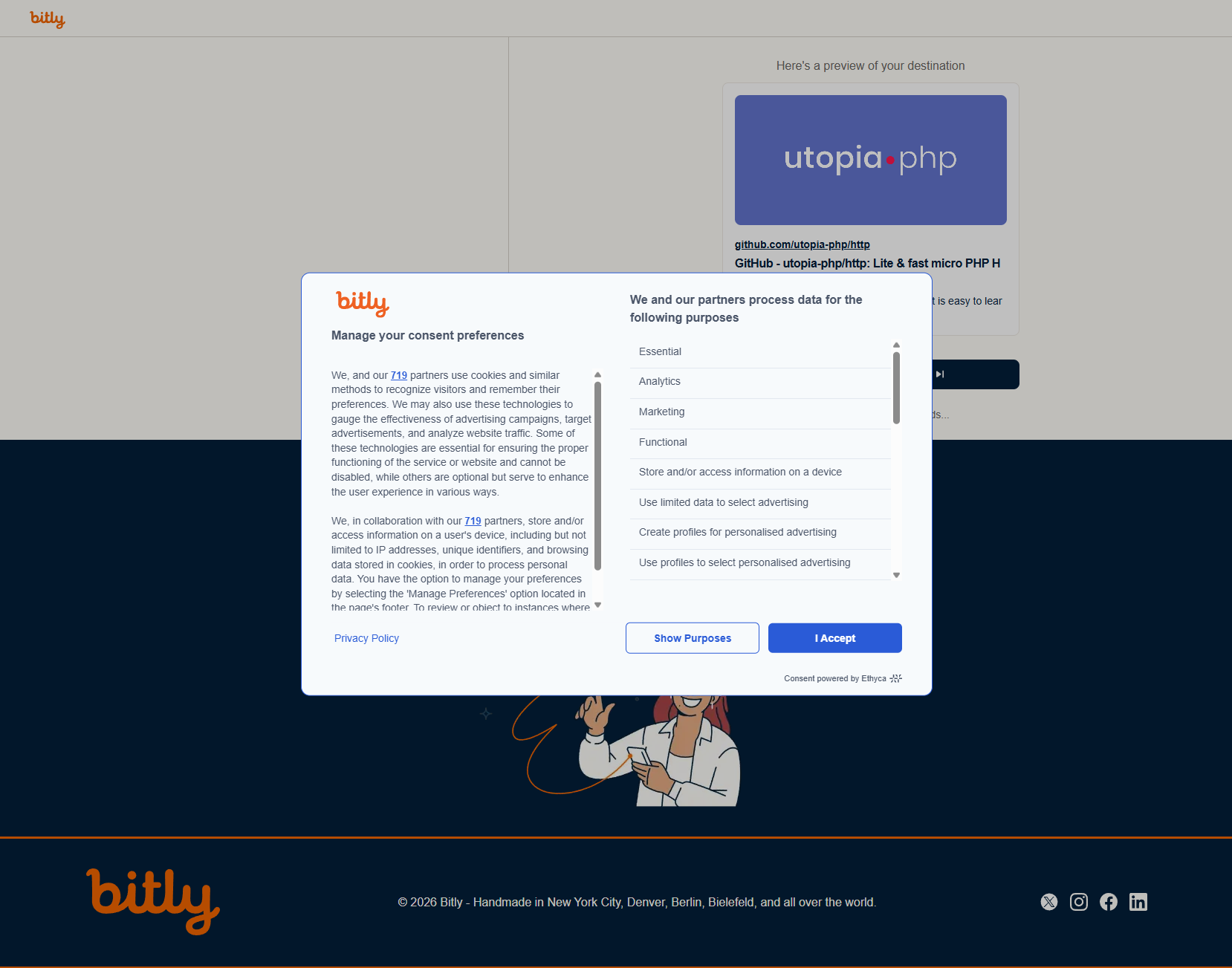
The first screen. The dialog lists Analytics, Marketing, "Store and/or access information on a device" and "Create profiles for personalised advertising" among the purposes.
The dialog said: "We, and our 719 partners use cookies and similar methods to recognize visitors and remember their preferences. We may also use these technologies to gauge the effectiveness of advertising campaigns, target advertisements, and analyze website traffic." Behind it, the preview page was already loaded.
After "I Accept", the page itself: a display ad on the left, a preview card for the destination on the right, a "Continue to destination" button, and the line "You'll be redirected in 7 seconds...". Under it, a band reading "This preview is powered by Bitly. Bitly is dedicated to making the internet a safer place for everyone."
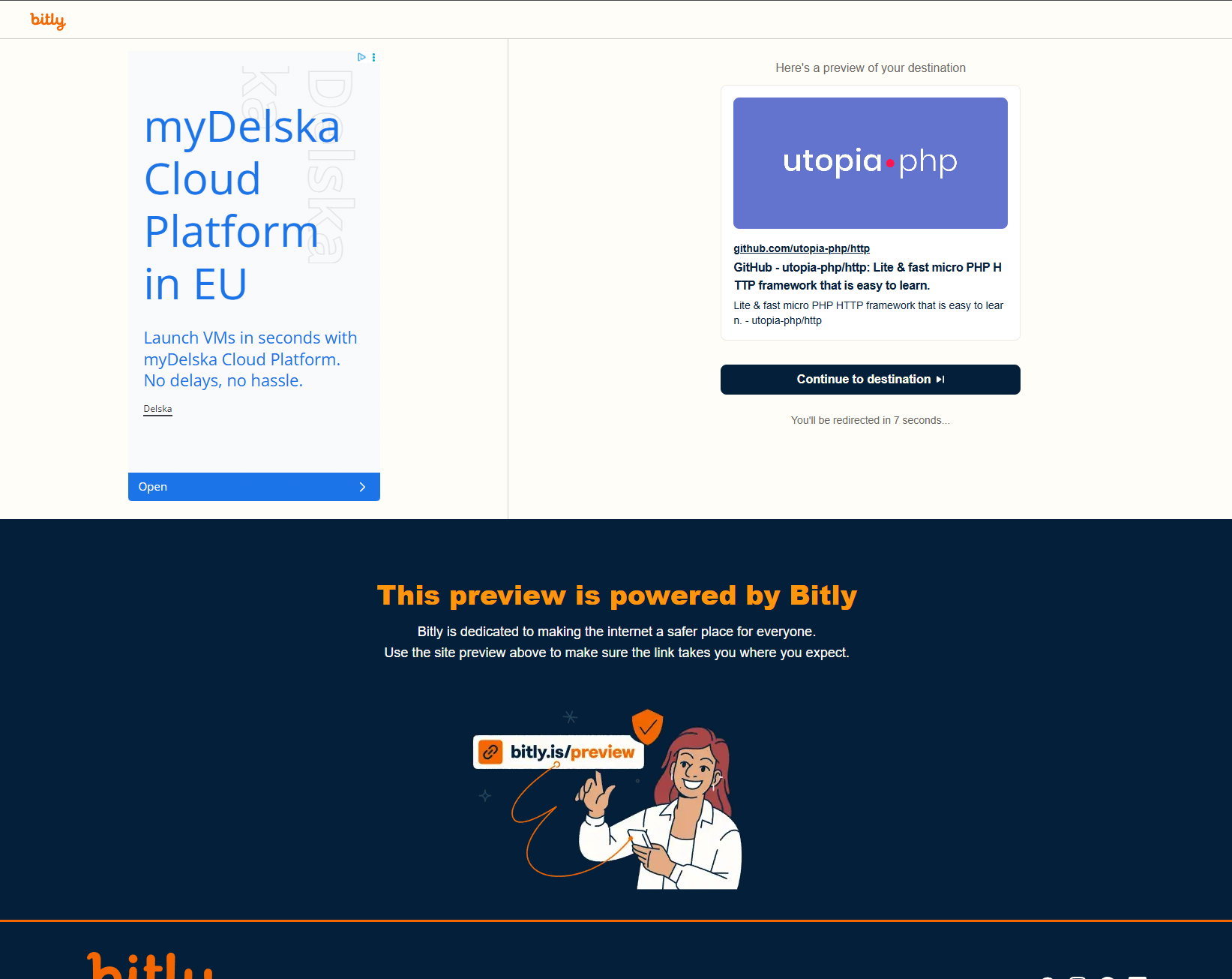
The second screen. The ad changes from visit to visit; this one was for a cloud hosting company.
So a visitor who clicks a free Bitly link sees, in order: a consent request for several hundred advertising partners, an ad, and a seven-second wait, and then your page.
Which links get it
Not every free account, at least not yet. On the same evening we opened a link from a Bitly account created in 2022, in the same private window, thirteen times. Every time it answered a plain redirect straight to the destination, with no page in between. The account opened that day got the preview page on the first click.
So the page is decided per account, and older free accounts appear to be exempt for now. Bitly's own wording, "your links and QR Codes may show a preview page", leaves that to Bitly. When the change arrived in February 2025 it applied to existing links, which is how people found ads on QR codes that were already printed on business cards and menus.
Two things we did not test: QR code scans, which Bitly's notice says are covered, and clicks from outside Europe, where the consent dialog may not appear. The ad page is the part Bitly describes; the consent dialog is what our visitor met on the way to it.
Why the consent dialog matters more than the ad
An ad in front of your link is a nuisance. The consent dialog is something else. Your recipient is asked to agree to data processing by hundreds of companies they have never heard of, on a link that carries your name, before they can read what you sent. The consent belongs to Bitly, not to you, and it does not change what your own site has to do. It does change what the click feels like from the other side, and if your audience is in the UK or the EU, that is most of your clicks.
The link is also no longer a redirect in the usual sense. It is a page, with third-party scripts, that redirects when it is done. A short link is supposed to be the fastest way to a page. This is a page in the way.
How to get rid of it
Two ways.
- Pay Bitly. Bitly's own instruction: select a paid plan and the preview page is removed from your links and QR codes. Their pricing page lists the plans; the entry one is Core.
- Use a shortener whose redirect is a redirect. Meaning: the server answers the click with the destination and nothing else. No page, no scripts, no consent, no wait.
Whichever you choose, links already printed keep pointing at bit.ly, so a free Bitly account with printed codes behind it has to stay on Bitly's terms until those codes are out of circulation. That is the strongest argument for putting anything you print on a domain you control.
How Urlicer handles the same click
A short link here answers with the redirect and nothing in between. There is no preview page, no advertising on the redirect, and no consent dialog, on the free plan included. Clicks are counted on the server, so nothing runs in the visitor's browser and no cookie is set on a plain link; cookieless link analytics explains how, and link tracking and GDPR covers the legal side. Two link types are the exception and set one cookie each, and that page names them.
The easiest way to check any of this, for us or for anyone, is to make a link on the free plan and open it in a private window. The written version is what happens to your links.
Bitly is still the better choice in some places, and the plan-by-plan comparison lists them, along with what its free plan includes: does Bitly have a free plan?.
Want links that open your page and nothing else? Start with a free account. Links in your workspace never expire, and every one gets a QR code and click analytics.